顯示具有 Live Background 標籤的文章。 顯示所有文章

2011年9月21日 星期三

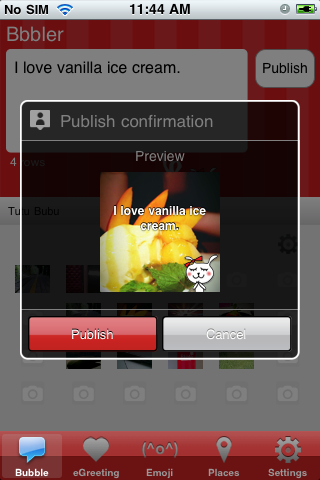
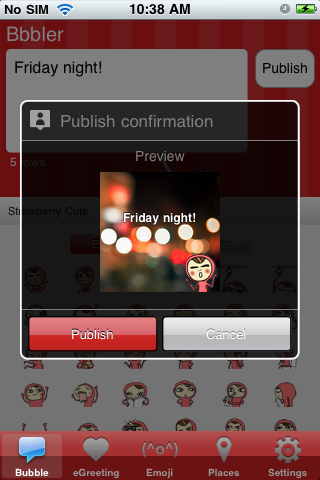
Bbbler for Facebook (iPhone) v1.4 has been released! You're now able to use your own photo as the bubble background!

Dear Bbbler fans, we got an exciting news for you! Bbbler for Facebook v1.4 (iPhone) has just been released to AppStore! The update allows you to use your own selected photo as the bubble background! You can now take a photo or just select one from your camera album to be your bubble background. It's 10x fun now!!! The update also includes 14 new emoticons, 12 new greeting icons and 12 new bubble backgrounds. Coooool!! Go get it now!!


To add a new live background, just switch to the background mode, flick to the rightmost page and tap the icon to take / select photo.


You can also edit/delete background by tapping the edit icon at the upper right. The app will enter the editing mode and you can now select/deselect icons to delete. It's simple!


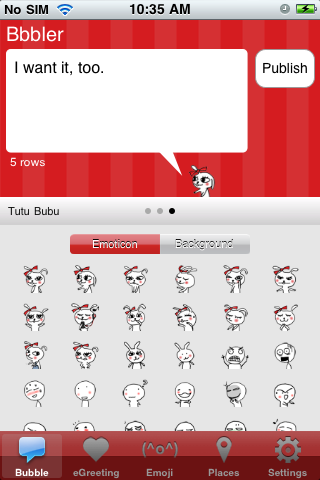
New emoticons, bubble backgrounds and greeting icons!


2011年9月14日 星期三

Bbbler for Facebook (Android) v1.09 has been released! You're now able to use your own photo as the bubble background!

Dear Bbbler fans, we got an exciting news for you! Bbbler for Facebook v1.09 has just been released to Android Market! The update allows you to use your own selected photo as the bubble background! You can now take a photo or just select one from your camera album to be your bubble background. It's 10x fun now!!! The update also includes 14 new emoticons, 12 new greeting icons and 12 new bubble backgrounds. Coooool!! Go get it now!!


To add a new live background, just flick to the rightmost page and tap the icon to take / select photo.


You can also edit/delete background by tapping the edit icon at the upper right. The app will enter the editing mode and you can now select/deselect icons to delete. It's simple!


 New emoticons, bubble backgrounds and greeting icons!